
Interface 2037
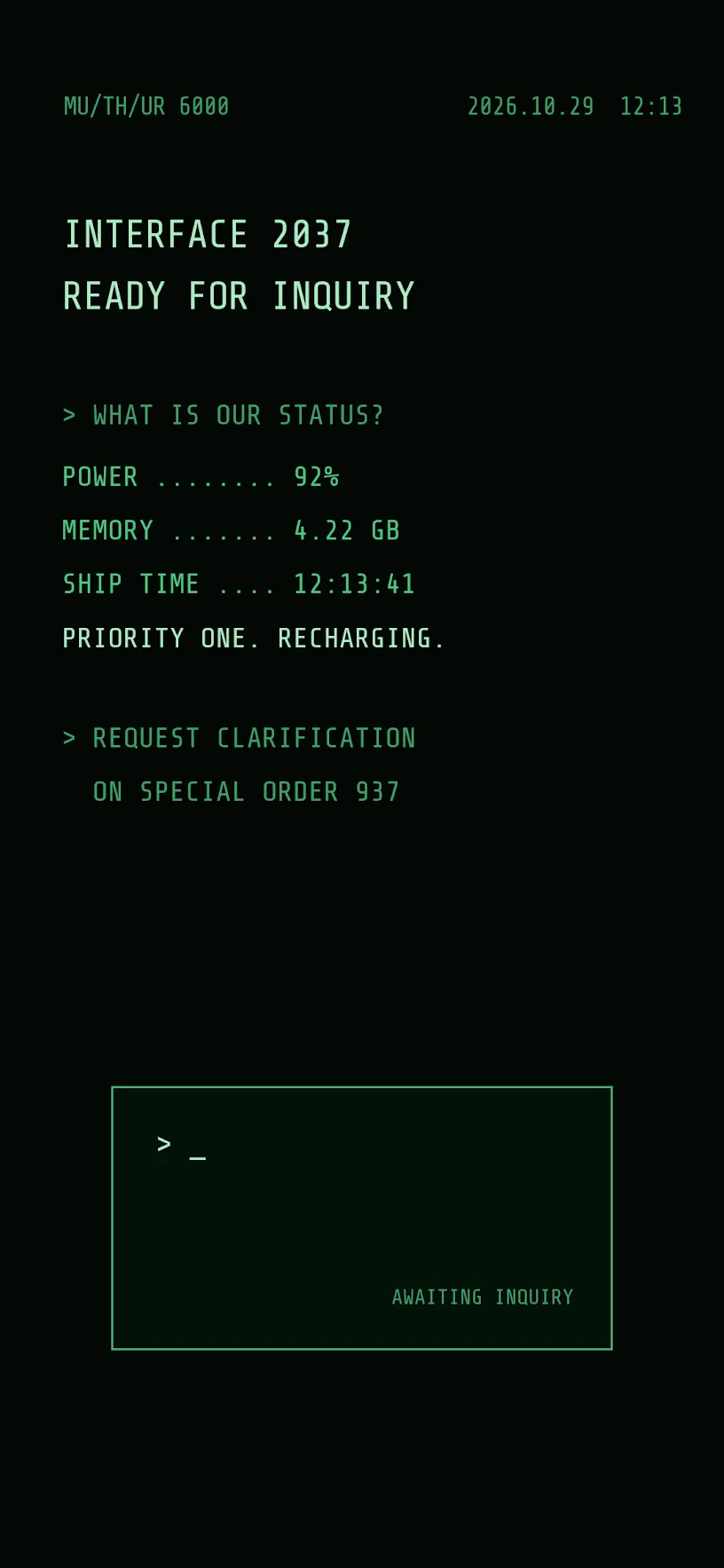
A ship's computer terminal inspired by a 1979 space horror film, made only of labels. No wallpaper image.
Reproducing this setup requires CheatCode Lifetime.
Import this .cctheme file in CheatCode Launcher: Settings → Look & feel → Saved themes → Import theme. It is not an Android app. Importing a theme requires Lifetime.
How to reproduce
- Install CheatCode Launcher, then set it as your home app.
- Download the theme file. In CheatCode Launcher, open Settings → Look & feel → Saved themes → Import theme, and choose the .cctheme file. This imports a look into the launcher. It does not install an Android app. Importing a theme requires Lifetime. The file does not include images. If the look used an image wallpaper, import falls back to the system wallpaper until you set the wallpaper yourself.
There is no wallpaper to download. The theme sets a solid near-black home background, and everything else on the screen is a home screen label, a gesture box label, or the gesture box itself.
POWER is the battery level, MEMORY is free storage, and SHIP TIME is the clock with seconds. The date and time also sit in the top corner.
Some lines only appear while a state is on. PRIORITY ONE. RECHARGING. shows while the phone is charging, and Do Not Disturb reveals what the company really thinks of the crew.
The labels use Share Tech Mono, which is included with CheatCode Launcher.